This month’s Cloudy County Community Call covered a range of Microsoft 365 updates focused on security, productivity, and AI tooling. Joe and Dewayne walked through what’s coming, what’s changing, and what the new Copilot agents in the Office apps can actually do.
Teams — security and limits
- An upcoming Teams feature is designed to detect and restrict external AI bots in meetings — addressing growing concerns around transcript access, attendee scraping, and unauthorized data sharing. Targeted release is expected next month with broader availability by mid-summer.
- Private channel member limits are increasing from 30 to 1,000.
- Meeting scheduling support is coming to private channels.
- Several Teams Premium features — town hall chat, reactions, and production tools — are migrating into Teams Enterprise, alongside an expanded interactive attendee cap of 3,000.
SharePoint & OneDrive
- A redesigned SharePoint home page offers quick access to recent files, news, and favorites.
- A new “hero link” sharing model reduces redundant links and improves external sharing visibility.
- Tighter OneDrive integration across the Microsoft 365 surface.
Copilot — licensing and capabilities
- Copilot Basic now lets users query and summarize their full Outlook mailbox and calendar — a capability previously limited to premium licenses. It still cannot send or move email on behalf of users.
- Effective April 15, Copilot icons in Word, Excel, PowerPoint, and OneNote are restricted to users with an M365 Copilot (Premium) license. All other users access functionality through Copilot Chat Basic.
Demo: Word, Excel, & PowerPoint agents
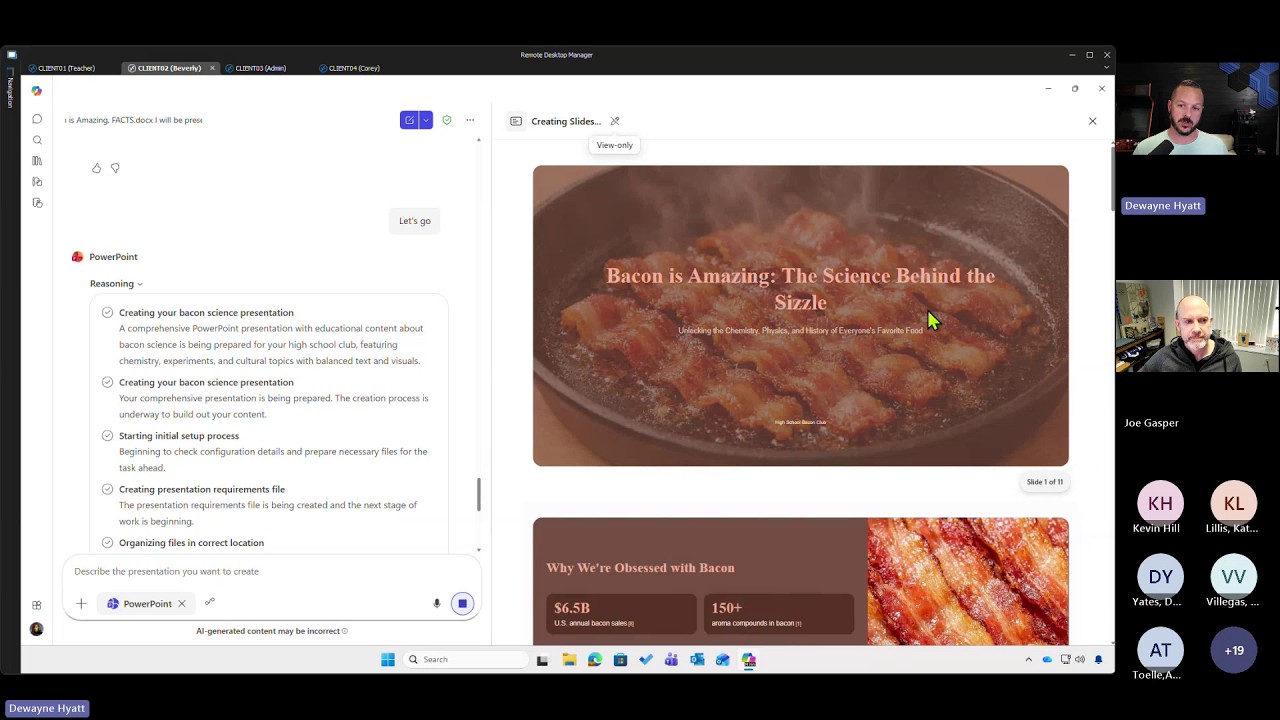
Dewayne demonstrated the new Word, Excel, and PowerPoint agents available in the Copilot app, which support:
- Document creation from a prompt
- File attachment as grounding
- Audience-targeted rewrites
- Presentation generation, with outputs saved to a dedicated OneDrive folder
Joe also covered using markdown files as lightweight instruction sets for building custom Copilot Chat agents.